

This integration lets you use Alter as your AI provider in DEVONthink. It’s available to anyone with an Alter subscription.Alter provides an OpenAI-compatible API endpoint — learn more about API pricing and available models.
What it supports
- AI-powered search and querying across your DEVONthink database
- Smart sorting and organization with AI
- Content summarization and extraction
- Integration with generative AI via OpenAI-compatible providers
Setup Alter with DEVONthink
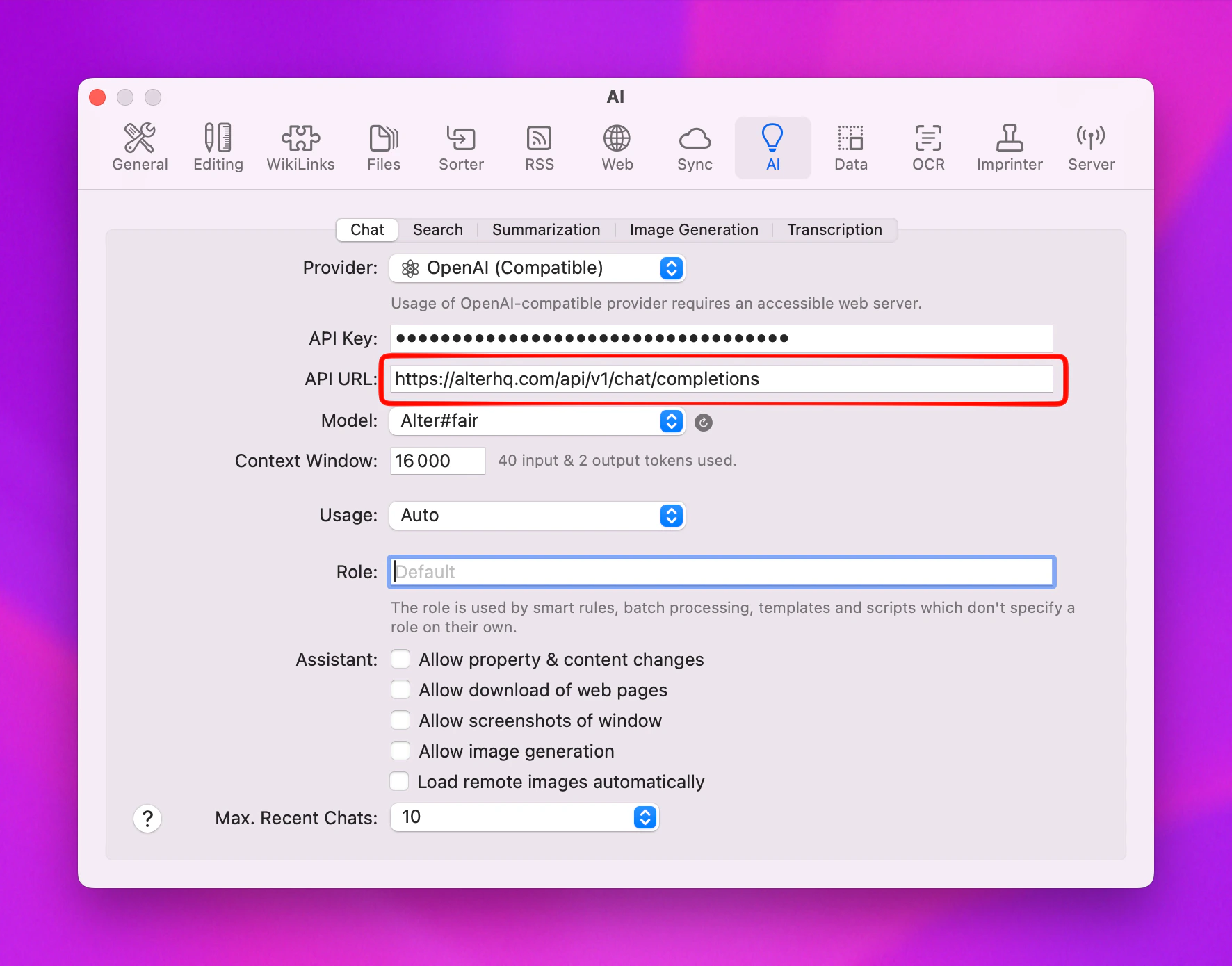
- Open DEVONthink and go to Settings
- Navigate to the AI tab
- Under Provider, select OpenAI Compatible
- Enter your Alter credentials:
- API Key: Your Alter API key
- Endpoint:
https://alterhq.com/api/v1/chat/completions
- Click the Refresh button to load available models
Known issue
DEVONthink has a bug where the model list may not appear after clicking Refresh. If this happens:- Quit DEVONthink completely
- Reopen DEVONthink
- Go back to Settings > AI
- The available Alter models should now appear in the list