

Alter connects to Discord as a bot using a bot token. You create the bot in the Discord Developer Portal; Alter does not generate an invite URL for you — you add the bot to your server from the portal.
开始之前
- 一个 Discord 帐户,有权创建应用程序(并将机器人添加到目标服务器)。
- Alter 在您的 Mac 上安装并运行。
- 几分钟即可复制令牌和 ID — 将机器人令牌视为密码。
步骤 1 — 创建一个 Discord 应用程序
1
Open the Developer Portal
Go to discord.com/developers/applications and sign in.
2
New Application
Click New Application, choose a name (for example 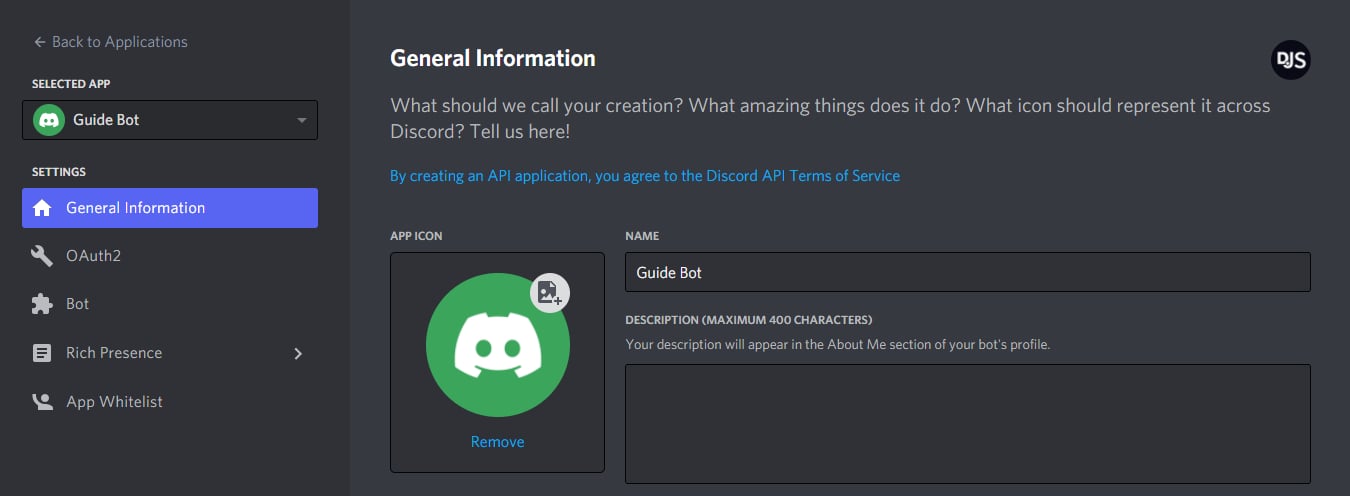
Alter), and confirm.3
Open the Bot page
In the left sidebar, select Bot, then click Add Bot (or Reset Token if you already created one).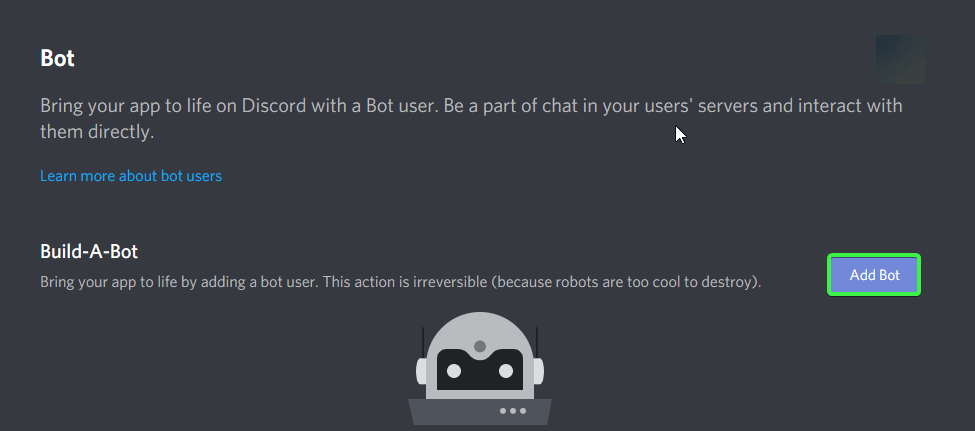
步骤 2 — 启用 Message Content Intent
Alter 必须读取服务器和 DM 中的消息文本。 Discord 要求您在 Developer Portal 中显式打开此功能。1
Open Bot settings
In your application, go to Bot.
2
Enable Message Content Intent
Under Privileged Gateway Intents, turn on Message Content Intent.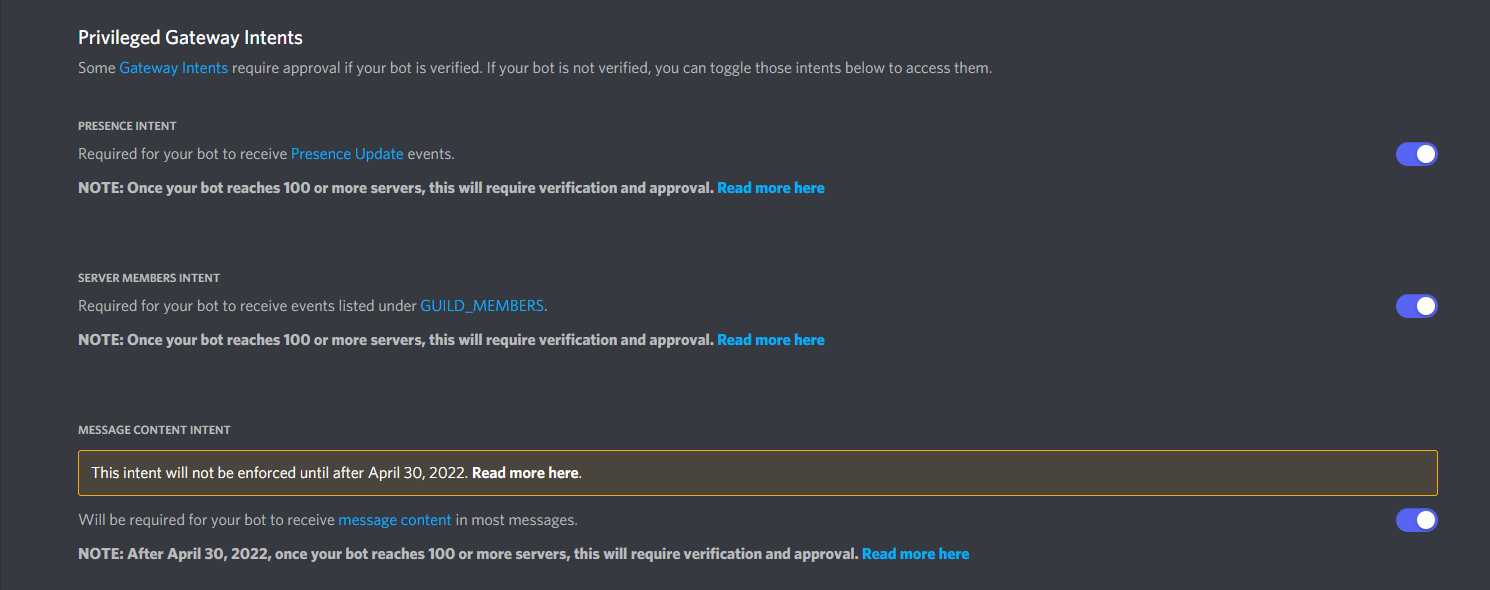
3
Save changes
Confirm any prompts. Without this intent, Alter cannot read messages and shows an error such as Enable Message Content Intent for this bot.
步骤 3 — 复制机器人令牌
1
Reveal the token
On the Bot page, click Reset Token (first-time setup) or Copy under Token.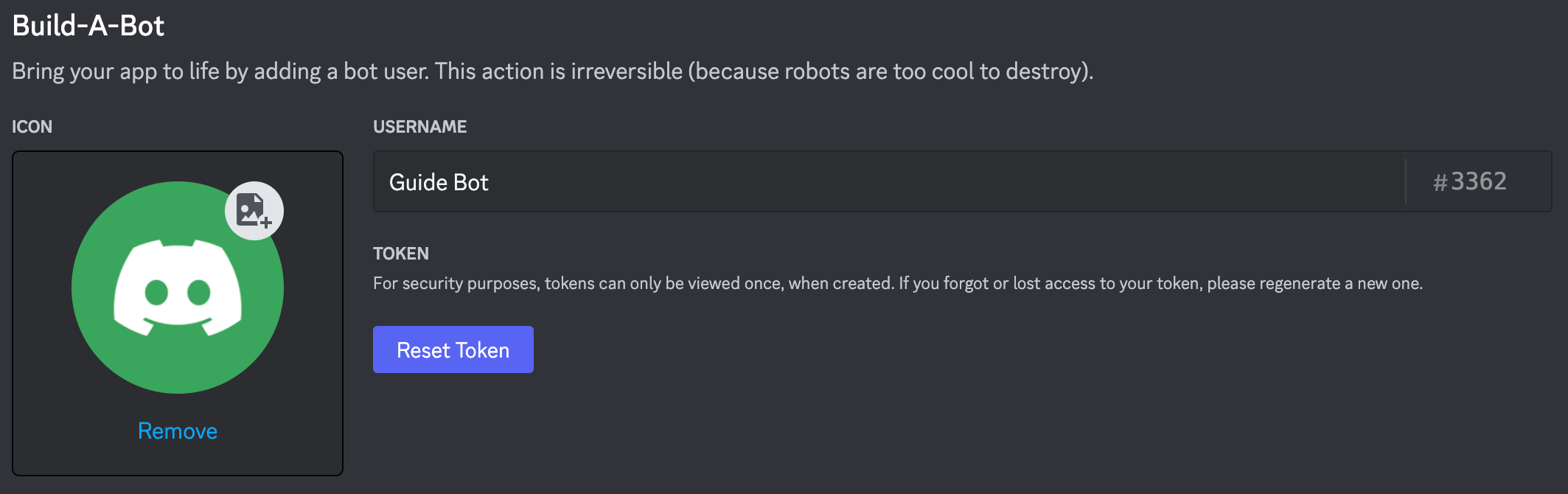
2
Store it securely
Paste the token somewhere safe temporarily — you will enter it in Alter in a later step. If it leaks, use Reset Token in the portal and update Alter.
步骤 4 — 邀请机器人到您的服务器
Alter 不会在应用程序内构建邀请链接。在Developer Portal中生成一个:1
Open OAuth2 URL Generator
In your application sidebar, go to OAuth2 → URL Generator.
2
Select scopes
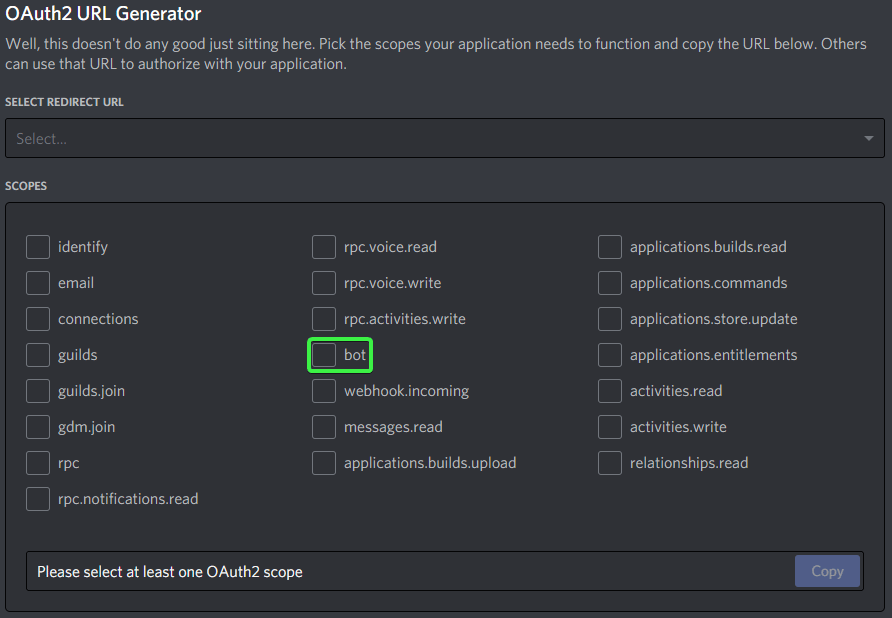
3
Select bot permissions
Under Bot Permissions, enable: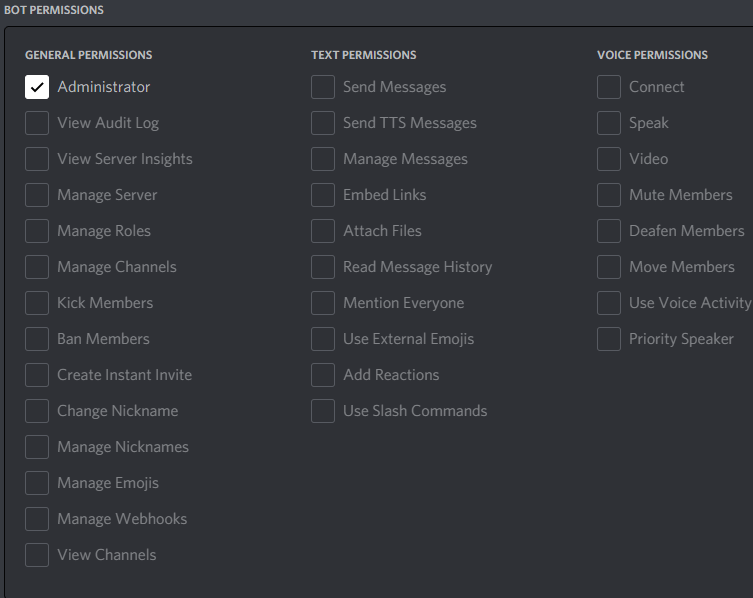
- View Channels
- Send Messages
- Read Message History
- Attach Files
- Create Public Threads and Send Messages in Threads (optional — only needed if you enable 在线程中開始服务器討論 in Alter)
4
Copy and open the generated URL
Copy the URL at the bottom, open it in your browser, choose your server, and authorize the bot.Discord documents this flow in Adding bots to servers.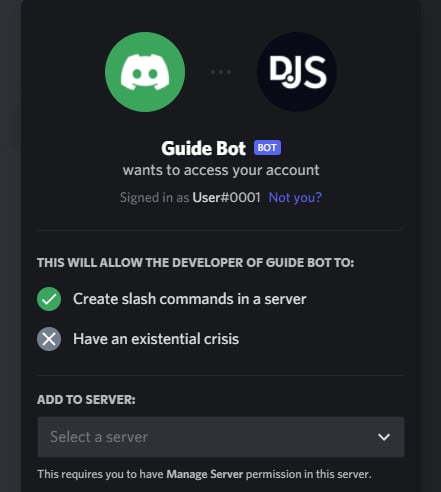
步骤 5 — 可选:复制服务器和用户 ID
如果您想限制哪些服务器或用户可以与 Alter 通信,请使用这些。1
Enable Developer Mode in Discord
In the Discord client: User Settings → Advanced → Developer Mode → on.See Discord’s ID documentation.
2
Copy Server ID
Right-click your server icon → Copy Server ID. Paste this into Alter’s 服务器 ID(可选) field to ignore messages from other servers.
3
Copy user IDs
Right-click a user → Copy User ID. Use comma-separated IDs in 允许的 Discord 使用者 ID to allow only those people.
连接Alter
1
Open Gateways settings
Open 设置 (⌘,) → 集成 → Gateways. See the Gateways overview for other ways to open Settings.
2
Add a Discord gateway
Click 添加 Gateway → Discord. Alter creates a new gateway entry in the list.
3
Fill in Connection fields
4
Choose 默认 Action and thread behavior
Ask Anything 是默认 Action,在 Discord 上开箱即用。对于自定义 Action,在 Action Editor → Gateways 中将 可用性 设为 Discord 或 全部。在 Behavior 下,新 Discord Gateway 默认开启 在主题中发起服务器讨论 — 每条新的服务器顶层消息都会创建独立的 Discord 主题和 Alter 会话。已在主题内的消息继续该会话。私信不变。若希望在主频道回复可关闭。若保持开启,邀请 bot 时请授予 Create Public Threads 和 Send Messages in Threads(步骤 4)。
5
Enable and save
Turn 已启用 on, then click 保存并重启. Wait for a status such as 已连接为 bot … or 已连接为 @….
测试机器人
1
Confirm Alter is running
Gateways only work while Alter is open on your Mac.
2
Send /help
In a DM or server channel, send
/help (or use Discord’s /help slash command). The bot should list commands and show New chat, Choose action, and Past chats buttons.3
Send a message
Send a normal message (or
@mention the bot in a server if 在服务器中需要 @提及 is enabled). Alter should react with 👀, show a Thinking… placeholder, then stream the answer and react with ✅ or ❌ when done.4
检查 Web 搜索格式
当活跃 Action 使用 Web 搜索时,Discord 回复包含清晰格式化的来源链接,而非原始 markup。
5
Try /new
Run
/new to start a fresh conversation with the 默认 Action, or /new ask-anything to target a specific action ID.6
Try voice messages
Send a Discord voice message or attach an audio file. Alter transcribes it with your selected voice processor (设置 → Voice) and sends the text to the active action.