

Open Provider Configuration
In Msty.ai, open the provider/model configuration screen where you set:- API endpoint (base URL)
- API key
- model selection
1) API Key
Paste your Alter key in the API key field:sk-...
Generate a key in Alter via Settings -> Router -> Alter API Keys.
2) Inference Endpoint
Set the endpoint to:3) Fetch and pick a model
Click Fetch models in Msty.ai after setting endpoint + API key. Msty.ai will load the available Alter models so you can pick one from the list. You do not need to type model IDs manually.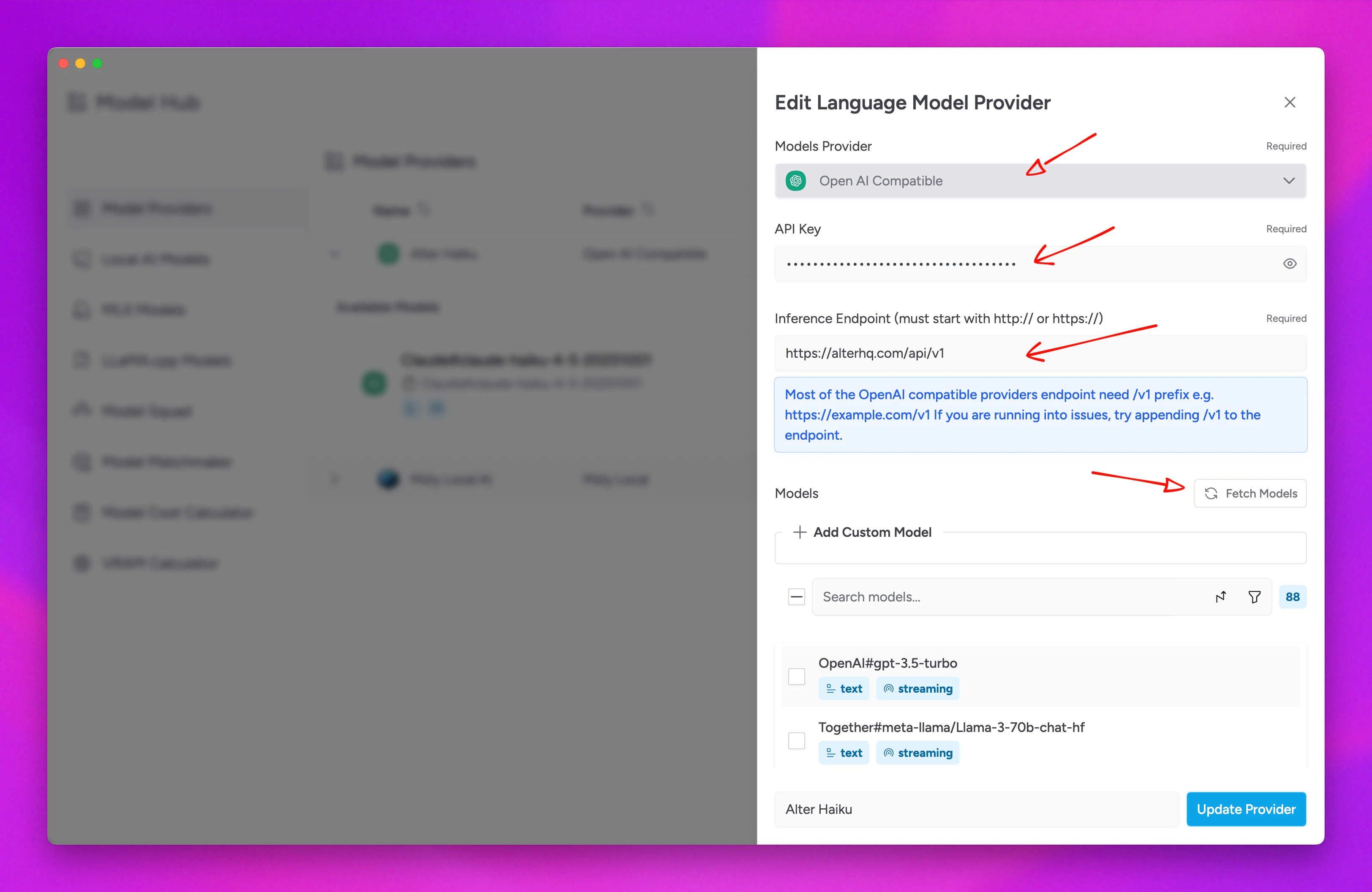
Verify Connection
- Save settings in Msty.ai
- Send a simple prompt
- If it fails, verify endpoint, API key, then click Fetch models again