> ## Documentation Index
> Fetch the complete documentation index at: https://docs.alterhq.com/llms.txt
> Use this file to discover all available pages before exploring further.
# Preguntas frecuentes principales
> Respuestas rápidas a preguntas comunes sobre el uso de Alter
Utilice estas respuestas breves primero y luego amplíelas con instrucciones o contenido de guía.
Alcance: solo preguntas rápidas sobre el uso del producto (apertura de Alter, contexto, configuración, dictado, configuración de BYOK).
## ¿Cómo abro Alter?
1. Pase el cursor sobre la muesca.
2. Presione `Alt+Space`.
3. Mantenga presionado `Fn` y hable.
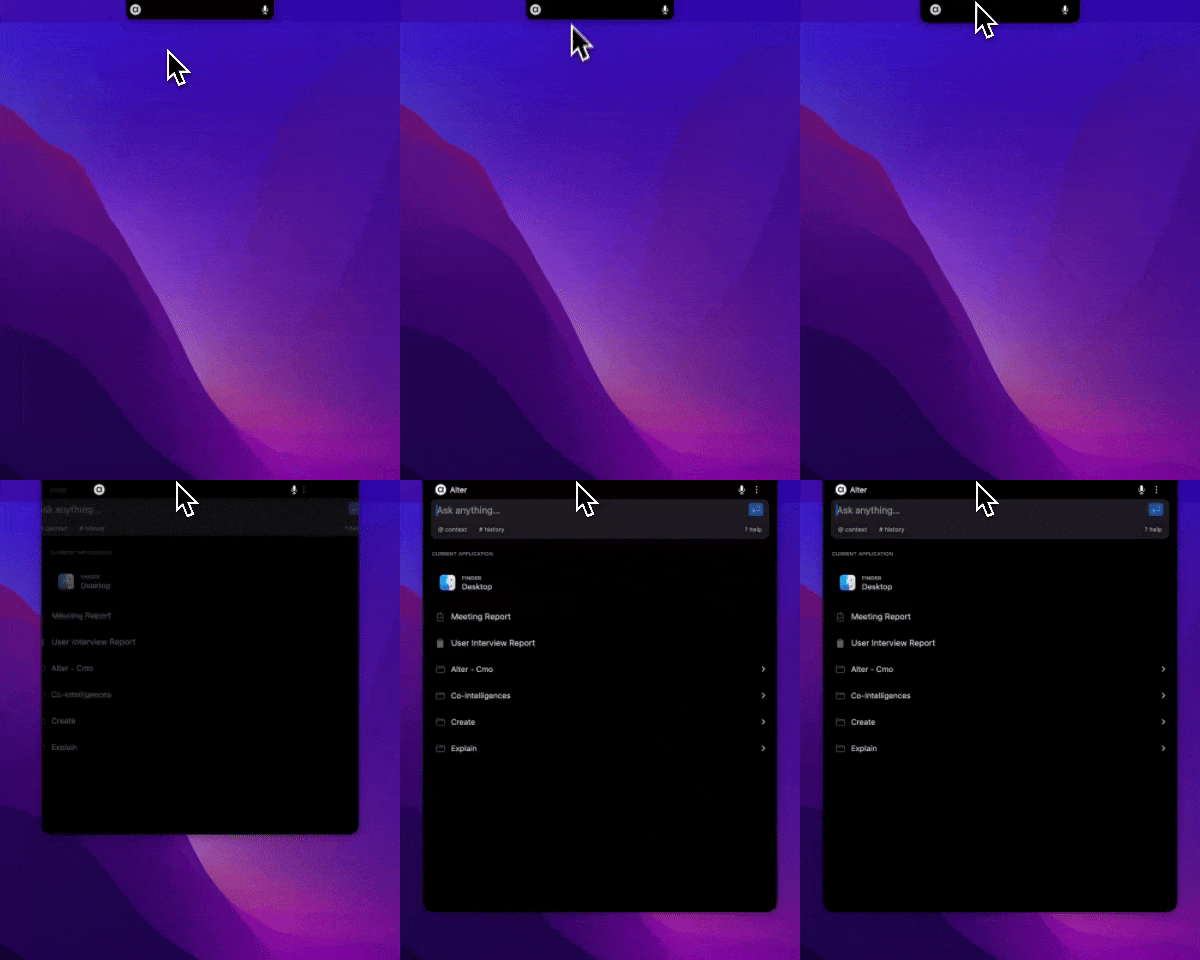 Consulte [Cómo comenzar](/getting-started/getting-started-path)] para obtener más detalles.
## ¿Cómo agrego mi propia clave API?
1. Abra Configuración (`Cmd+,`).
2. Vaya a Claves API.
3. Seleccione proveedor e ingrese la clave.
Consulte [Cómo comenzar](/getting-started/getting-started-path)] para obtener más detalles.
## ¿Cómo agrego mi propia clave API?
1. Abra Configuración (`Cmd+,`).
2. Vaya a Claves API.
3. Seleccione proveedor e ingrese la clave.
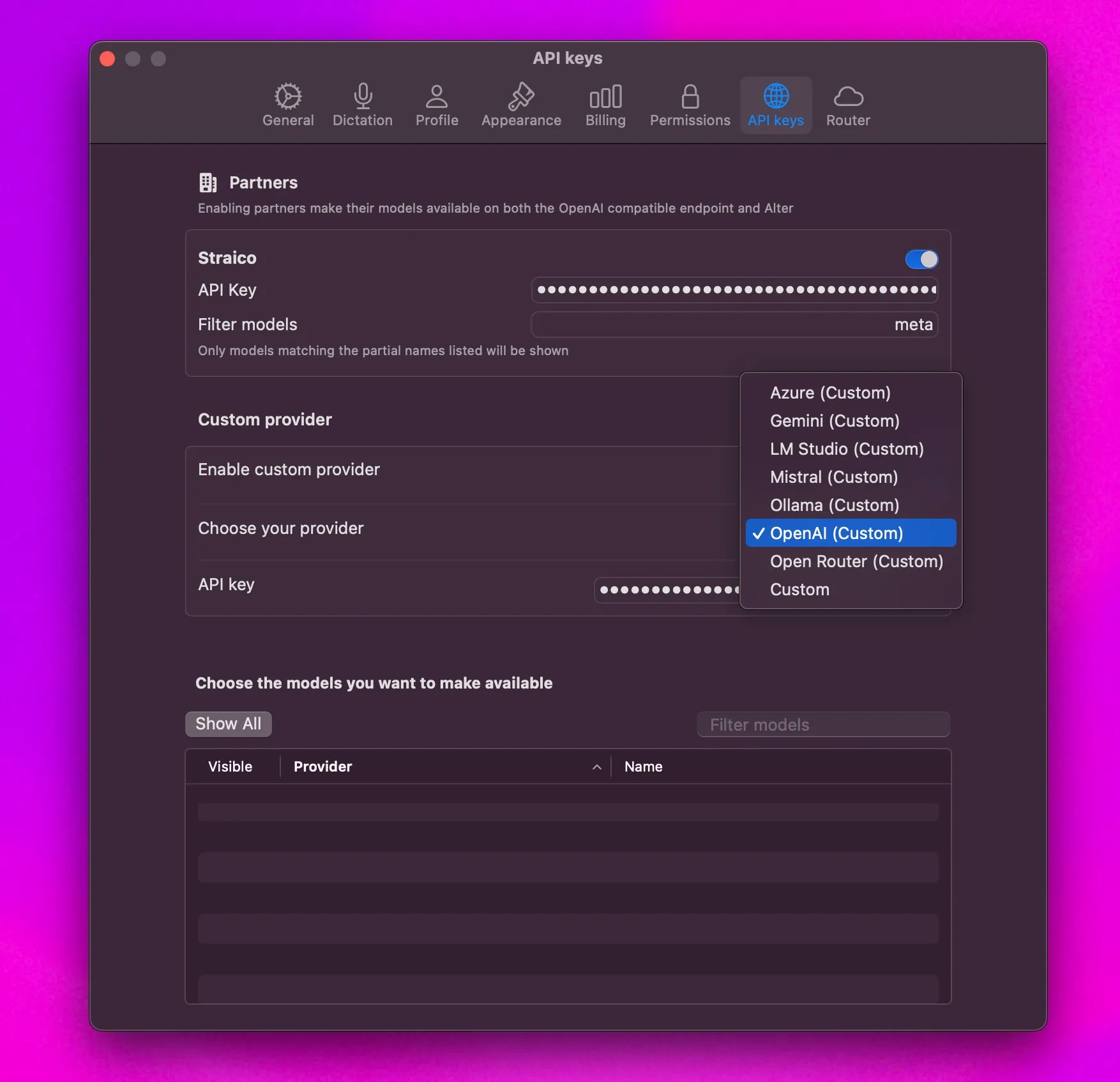 Consulte [Cómo hacerlo: use su propia clave API](/how-to/use-byok) para obtener instrucciones detalladas.
## ¿Cómo agrego contexto a un mensaje?
* Arrastre y suelte archivos en la muesca.
* Haga clic derecho en los archivos y elija Agregar a Alter.
* Utilice `@` para agregar contexto desde el mensaje.
Consulte [Cómo hacerlo: use su propia clave API](/how-to/use-byok) para obtener instrucciones detalladas.
## ¿Cómo agrego contexto a un mensaje?
* Arrastre y suelte archivos en la muesca.
* Haga clic derecho en los archivos y elija Agregar a Alter.
* Utilice `@` para agregar contexto desde el mensaje.
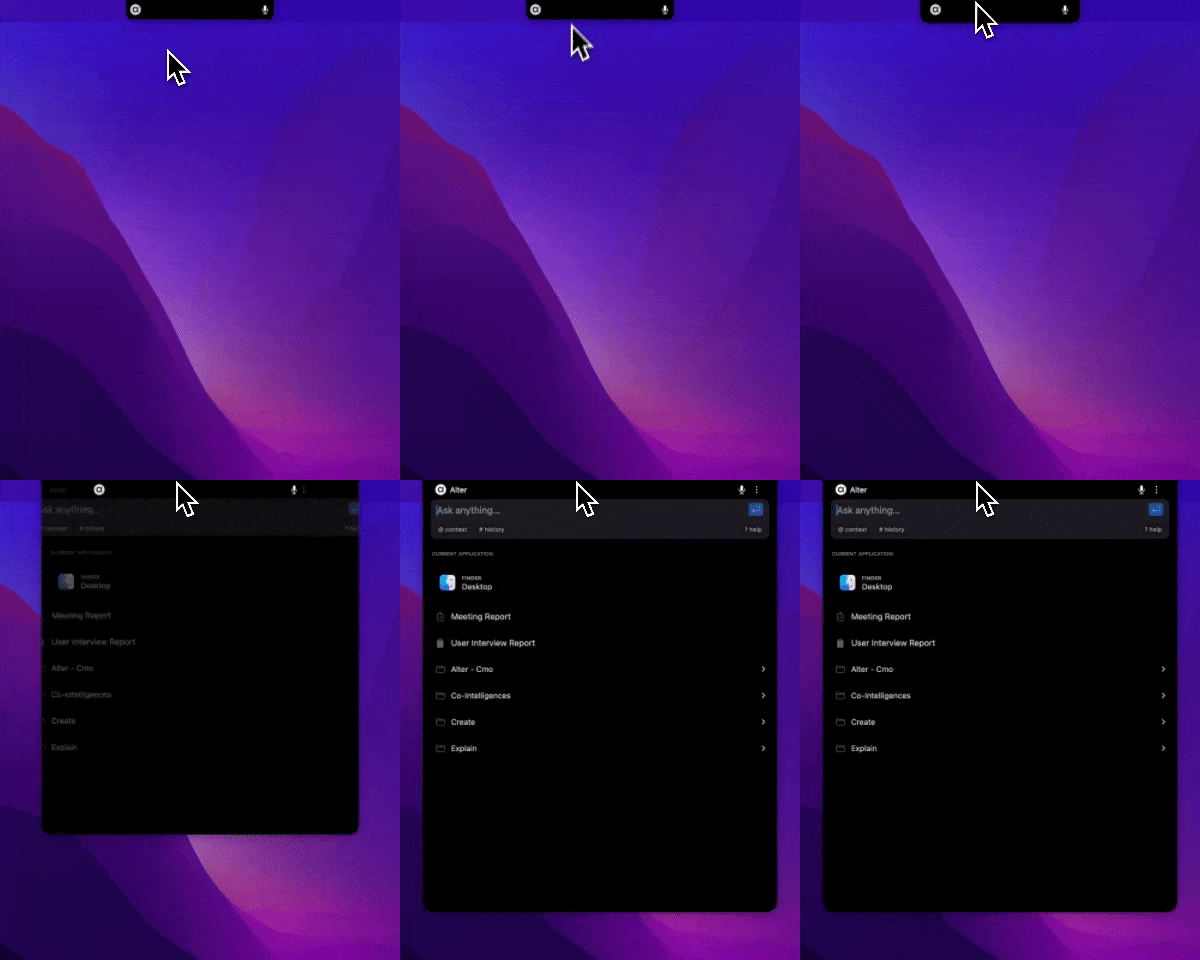 Consulte [La ventana Alter](/es/getting-started/alter-window#the-context-section) para obtener más detalles.
## ¿Cómo cambio la configuración rápidamente?
* Abra Alter y presione `Cmd+,`.
* O abra el menú de tres puntos -> Configuración.
Consulte [La ventana Alter](/es/getting-started/alter-window#the-context-section) para obtener más detalles.
## ¿Cómo cambio la configuración rápidamente?
* Abra Alter y presione `Cmd+,`.
* O abra el menú de tres puntos -> Configuración.
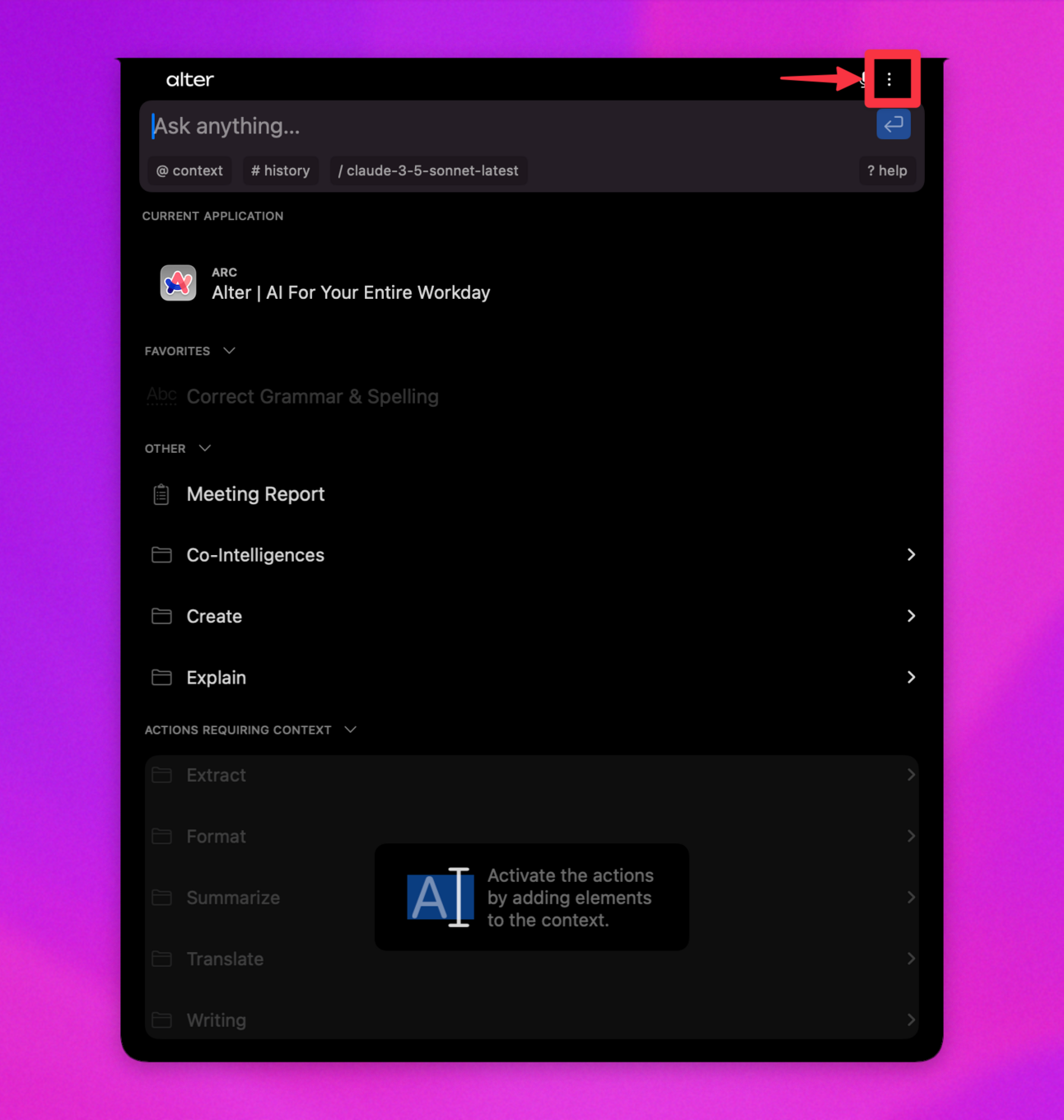 Consulte [Alter Configuración](/how-to/settings-guide) para obtener más detalles.
## ¿Cómo configuro el dictado?
Configuración -> Dictado, luego elija procesador, idioma y reemplazos.
Consulte [Alter Configuración](/how-to/settings-guide) para obtener más detalles.
## ¿Cómo configuro el dictado?
Configuración -> Dictado, luego elija procesador, idioma y reemplazos.
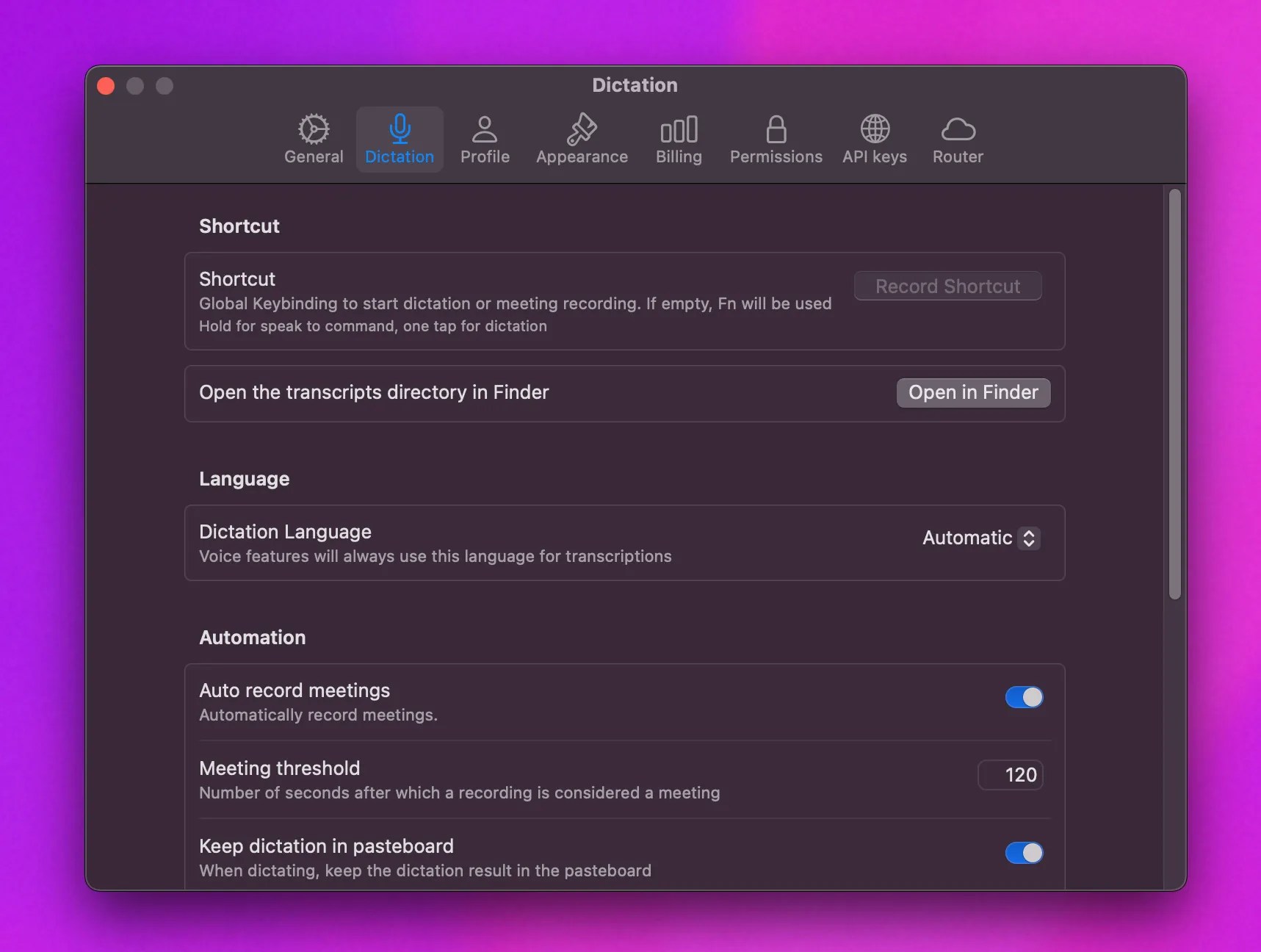 Consulte la [Guía de dictado](/workflows/dictation) para obtener instrucciones de configuración completas.